By now you've probably seen the reviews of the other Galaxy S phones -- the Epic 4G, Captivate, or Vibrant -- or at least gotten an idea of what Samsung's push into the Android market is all about in 2010. After hitting every other major US carrier with like-minded devices, the company has finally seen fit to unleash the Fascinate on Verizon. Up until this point, the Android offerings on Big Red's network have been varied, but not all particularly attractive beyond the Droid lineup. The Fascinate is arguably the first handset that gives something like the Droid X or the Incredible a proper run for its money. Of course, those are pretty high stakes in game that changes on an almost daily basis, and Samsung's options are not without their... idiosyncrasies. That truth is nowhere more pronounced than on its latest handset. So is the company poised to hit the market where it hurts with this final puzzle piece, or is this an incomplete picture? Read on to find out in our full review of the Samsung Fascinate!
Hardware
Like its brethren the Captivate and Vibrant, the Fascinate is a candybar device which relies mainly on its touchscreen and four dedicated Android navigation buttons to get things done. The design of the phone is basic enough; a simple slab with rounded edges, a slight silver band that runs around the sides of the device, and little detail save for a gray and black patterned back. The phone is manufactured out of plastic, and feels like and somewhat hollow to the touch. It's not cheaply made, but it doesn't have the heft of some other devices in this class (such as the Droid 2). Even the Captivate has a metal back, which gives it a slightly higher-end feel.
On the back of the device is a five megapixel camera and LED flash, and there are hard buttons for the power / sleep and volume control on either side of the phone.
The design of the phone is simple enough to be inoffensive, but not daring or notable in any real way. In our hands, 4-inches feels like the perfect size for this type of phone; the device feels considerably smaller than something like the Evo, but is more comfortable to type on than the Incredible or iPhone. The general size and thickness will keep it competitive (the phone is nearly as thin as the iPhone 4), though in a sea of like-minded devices, the Fascinate could easily be overlooked.
Specs
In terms of raw specs, the Fascinate looks lustworthy no matter how you slice it. Like the other Galaxy S phones, the device houses a 1GHz Hummingbird CPU, 4-inch 800 x 480 Super AMOLED display (capacitive touch of course), 512MB of RAM, a microSD slot expandable to 32GB (it comes with a 16GB card), along with proximity and light sensors, and an accelerometer. Additionally, the device packs in WiFi (802.11b/g/n), Bluetooth 2.1, and an AGPS radio. Of course there's a 3.5mm headphone jack and Micro USB port, but other than that, the phone is fairly no-frills. You won't find a hidden HDMI jack somewhere on this device.
As we've noted on the other Galaxy S devices, that Super AMOLED display does look pretty stunning. It seems to produce truer, richer colors than standard AMOLED screens we've seen, and its sunlight performance wasn't completely useless (though it was notably harder to see than the iPhone 4's IPS display when held side-by-side).
It's a healthy package, but absolutely contemporary with the Nexus Ones, Droid Xs, and iPhone 4s of the world. Nothing here is really groundbreaking (and obviously we've seen pretty much the same phone in three other slightly tweaked designs), but it's keeping up with the Joneses just fine when it comes to specifications.
Cameras
The camera on the Fascinate seemed just about identical to its brethren the Captivate and Vibrant, save for the fact that it's actually got a flash. We're not sure why Samsung chose to leave the GSM models flashless, but we're happy to see the LED here. In terms of photo quality, we thought that the Fascinate performed admirably in most settings, though like our previous experiences with the other Galaxy S phones, photos the devices produce have a certain quality of, well... phone pictures. Still, the whole line is capable of pretty handsome shots in the right setting, and on the Fascinate, night shots and low light settings were obviously easier to work with now that we have some artificial help.
On the video front, we were particularly impressed with the 720p video quality of the device. Even indoors, the camera produced smooth, stable images that looked good when we blew them up on our TV. We don't think anyone should consider the fascinate for the next Citizen Kane, but for family outings (or just general partying with friends), the phone stands in nicely for a dedicated video camera.
Phone / Speakerphone
Phone quality on the Fascinate was really very good, and speakerphone volumes and tone were loud and clear without becoming distorted or piercing (tones lots of modern phones seem to prefer). Our callers voiced no concern with the outgoing sounds of the phone, and our incoming calls sounded pretty crisp to our ears. Since this is a Verizon handset, call stability was excellent -- in fact, while testing we didn't have a single dropped call.
We do have some reservations about the phone software, however (more on software in a moment). More than once we had a call just stall out when we tried to hang up, leaving the phone frozen and us pounding buttons and feeling pretty frustrated. There seemed to be some disconnect (ha ha) between when you tell the phone to hang up and when the phone actually hangs up. It could have been the area that we're in, a symptom of a larger software issue, or just a fluke, but it was extremely annoying when it occurred.
Battery life
As with most devices these days, battery life is subject to the wants of many aspects of that particular device's OS. In the case of Android, the changes or additions made by a manufacturer or carrier can have significant repercussions on the device's battery life. That's certainly the case for the Fascinate, where the kind of battery life you'll wind up with depends largely on how hard you want to push your auto-updating widgets and backgrounding IRC apps (for us, that's a lot). In typical use, the 1500mAh battery kept things chugging along for a full day of work and then some. Hammering on the device harder (and making lots of calls) can definitely put you into the red far faster than you'd like, however. The combo of lots of data and lots of voice on any modern smartphone is going to be a drain, but the Fascinate didn't seem especially susceptible to the damage, which is a very good thing.
Software
As you should know by now, the Galaxy S phones are all running Android 2.1 with a super-special TouchWiz skin. If you want a deep dive on the modern TouchWiz and what it means for your Android experience, you should take a look at our Epic 4G and Captivate / Vibrant reviews for extra background.
That said, there are a number of decisions made with the Fascinate's particular brand of the TouchWiz / Android mashup that bear mentioning.
First -- we had a fairly extreme shock when we booted up this device for the first time. After some experiences with the "new" Android (that is, devices which have a much heavier carrier influence than Android's first wave), we've come to expect just about anything. However, what we found with the Fascinate still seems notable. The phone does not use Google as its default search. And it doesn't utilize Yahoo! either. No, the Fascinate search engine defaults to Bing. Bing is used for the homescreen widget. It is defaulted to in the browser. It is present across the device... and there's no way to choose a different search engine. Like, you know -- Google. When we pressed Verizon reps about this, they let us know in no uncertain terms that the stock engine is Bing without a second choice.
This was maddening to us. We don't have a personal issue with Bing, but it's not our engine of choice, and we'd be willing to bet that it's not yours either. Now, imagine buying an Android phone -- a Google phone -- only to discover that not only was Google not defaulted to as a search engine, it's not even an option! For us, this is actually a deal breaker. It's fine to throw a new choice a user's way, but to force them into using nothing but that choice seems pretty low. Even on the original iPhone you were given a choice between Google and Yahoo!. Here, you've got Bing unless you want to get hacking -- and most people actually don't want to get hacking. They just want to use their phones. Again, it's not that Bing is a bad search engine, but Google is the standard. If it's not even offered, what does that say?
Beyond this, Verizon also has tweaked the device so that it defaults to Verizon Navigator instead of Google Navigation in any area of the phone which calls for navigation (including the context menu in contacts). This can actually be changed, but only through a fairly arcane combination of settings -- another annoying alteration that seems unnecessary here. As with the Dell Aero and other unfortunate devices which carriers have attempted to warp to a more profitable variation of Google's operating system, the result is not flattering.
Besides the bloatware and carrier changes (you'll find plenty of both here), TouchWiz itself is still a poor substitute for a solid, stock Android experience (or even a more advanced skin, such as HTC's Sense). On the Fascinate, as with the other devices in this series, it comes off as a pale and often buggy imitation of iOS -- not something a lot of Android users likely embrace. There are some solid ideas here, such as the tweaks Samsung has made to the dialer (being able to tap out someone's digits and have it automatically find your contact is very welcome), but overall the skin felt extremely... unsure of itself.
More than once the phone locked up doing what we considered to be basic tasks, such as switching between apps or back to the homescreen. The Fascinate just seemed to stall out, often at the most inconvenient times, and we were left to simply wait until it sorted out whatever memory or processor issues it seemed to be having. Comparatively, a device like the Incredible rarely if ever stalled out on us, even during heavy use. The Fascinate (as well as the other Galaxy S phones) just don't feel like they've been left in the oven long enough -- there are good ideas, but they needed to get to golden brown. This dough is still uncooked from what we can tell.
We also noticed a weird delay when using the hard buttons along the bottom of the phone. Between pressing, feeling the haptic feedback, and actually seeing a result there was an almost (emphasis onalmost) imperceptible pause for each action. Hitting the home button on the Captivate yields nearly instant results for us, but on the Fascinate there's a slight hesitation that makes the phone feel more sluggish than it actually is. We're not sure why there would be a difference between these two identical phones, but it's another frustrating detractor for Verizon's offering. And another thing about those buttons -- their lights dim before the screen (and often when you're navigating the phone), making getting around the device unnecessarily challenging. Here's a thought Samsung: just keep those illuminated until the screen goes to sleep.
Otherwise, you may be bummed to know that the company doesn't seem to have worked out all those typos we found in the other versions of these phones. We still saw a handful of English errors that have no place on a top-tier device like this.
As with the rest of the Galaxy S family, you get two keyboard options here -- Swype and the stock 2.1 keyboard. Neither of those really cut the mustard for us, and we found ourselves re-downloading Better Keyboard for the umpteenth time on an Android phone.
At the end of the day, it's not all bad. In fact, Samsung has made some thoughtful choices and attempted to pull together what can seem like a disparate collection of odds and ends at times. Still, there are some problem areas here that never should have made it out of bug testing, and if this is supposed to be a high-end experience for an end user, we hate to think of what the other end of the spectrum would look like. The issues are even more pronounced having used stock Froyo (and even 2.1) on a Nexus One -- the experiences couldn't be more night and day (that's to say, the Nexus blazes). A smartphone should help you along, not hinder you, and all too often while using the Fascinate, we felt like we were hitting red lights.
Wrap-up

 I can’t dispute that today’s kids are much ahead in understanding and accepting technology than my tech-aware generation. My teenage niece showed me a feature on my phone that I didn’t know even existed.
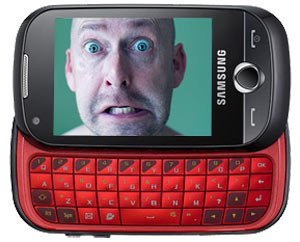
 The Chaiwali had gifted me a Samsung Corby Pro ahead of our wedding and I thought that the front camera can only be activated for video calls on 3G. But, as it turns out, it isn’t. All you need to do is type *#0*# and the LCD Test panel will display on the screen. Press 8 (VGA Cam) to activate the front camera and you can use the phone now as a mirror to adjust your hair or to apply lipstick (and also to keep an eye on what’s happening behind your back).
But you cannot click photos with the front camera, for that you have to use the rear cam (if there is another trick for that, do let me know).
I didn’t find any mention of the feature on the Samsung Corby Pro (B5310) instruction manual. While people have discussed this feature online but a simple search didn’t throw up definite any results. Therefore, this post. The *#0*# test also lets you test your Samsung Corby Pro’s RGB settings, melody, vibration, dimming, mega cam, touch, speaker, sleepmode and sensors.
While I haven’t yet posted a review of the phone. Here’s why I chose it (I did have the liberty to choose my gift):
I wanted a touch phone and also wanted it to have a physical QWERTY keypad, I wanted 3G (for the future) and WiFi (to save on data cost) in addition to the other features that we take for granted. The budget was around 15K. And Samsung Corby Pro was the only phone that met all my requirements. The phone cost my wife Rs. 11,700 (in February 2010).
I’m a satisfied user. The only major drawback that I experienced was the lack of an LED flash. The camera isn’t also too great. The music player should’ve had more options and could’ve been more user friendly.
Contrary to reports that I read on the internet, it does have an accelerometer (tilt sensor). I’ll rate the Samsung Corby Pro 4/5.
But should you buy it? If you don’t have a need for a physical keyboard, I suggest that you go for the Samsung Galaxy Spica (I5700). It is in the Rs 12K range and has the Android advantage. As far as I know the I5700 is currently the cheapest Android phone available in India.
Samsung unveiled the brand new showstopper Samsung B5310 Corby Pro after the huge success of Samsung S3650 Corby. Samsung B5310 Corby Pro is pretty attractive, as refreshing as earlier, nicely designed, slider phone. This phone will be the treat for heavy texters, as this phone comes with enhanced Querty keyboard, which facilitates easy texting. Samsung B5310 Corby Pro is 3G integrated phone; provides easy access to social websites like Orkut, Facebook and Twitter in one touch. Interestingly, it comes at affordable price and caters some of the advanced mobile features. It has unique feature namely ‘changeable cover option’, which lets you to customize with your own mobile cover.
Design
Samsung B5310 Corby Pro has retained its freshness and youthfulness in its design. This phone will be suite for those who do lot of texting and for those who do not want Smartphone complexities. This phone has a usual attractive Oval design and possess good grip. It has huge TFT screen of 2.8-inch, offers good resolution of 240 x 320 pixels and supports hopping 16 million colors. It has dimension of 105 x 56.8 x 15.7 mm and weighs 135grams, heavier in the hand. It comes in bold colors like yellow, Black and etc with a metallic body
. Large touch screen and Querty keyboard gives you the feeling of higher-end mobiles. It comes with sliding, Full-Querty keyboard. The keys aligned in a 4 row layout, enables faster and easier texting. The keys are wide enough to faster typing and additional large space hosts the frequently used keys. Querty Keyboard’ size has been considerably reduced compared to its previous version; it looks slim and great. There are three keys present on the upper slide, same as its predecessor. It has a one short cut key on the upper slider, which lets you customize the shortcut for features according to your convenience and you can access them quickly.
Samsung B5310 Corby Pro has convenient user interface. Touch sensitiveness of the screen has not been altered. Touch operation is as good as earlier; it is providing easier navigation. It lets you to choose your external panel; installing them also quick and easy. It provides features for customizing its look.
Camera shortcut button and USB port are placed on the right side of the phone. While a volume rocker is present on the left side of the phone. Camera shortcut provides the easy and quick access to camera. USB port has plastic covering which avoids the dust particles to pierce into the port.
Multimedia
The Samsung B5310 Corby Pro equipped with enhanced music player that supports most of the audio formats like WMA, MP3 and AAC; it also supports MP3 & polyphonic ringtones. There is a video player, supports MPEG4, 3GPP, WMV, H.264 and H.263 Video Formats. it has a RDS feature based FM radio. It is equipped 3.2 megapixel Camera, offers high resolution. You can capture both pictures and videos in great detail. Camera has advanced features like editing options, Autofocus, video editor, 3.3X zoom with smile detection, Photo editor. It also features document editor and PDF viewer.It has usual built-in applications like Calculator, PC studio, Organizer and Calendar. It is preloaded with Java games like Cricket and Sunoco. You can download more games if you want and can be installed them in the phone.
The Samsung B5310 Corby is secured with Mobile tracker, you can track the phone, in case if lose the phone. It has a Hinglish SMS features as well, it recognizes both English and Hindi words.It provides support for 3.5mm audio jack and a microSD card slot (extendible up to 8GB). It has internal memory of hopping 100MB. You can store thousands of data, pictures, music and video in its external microSD.
Connectivity
The Samsung B5310 Corby supports Quadband (850/900/1800/1900 MHz) GSM and GPRS/EDGE class 10, so that you can connect to outer world easily.It supports 3G HSDA, Bluetooth 2.1 with A2DP, Wi-fi and USB as well. It syncs with other computers quiet easily and quickly.
It comes with faster web browser. It also supports WAP 2.0, XHTML and HTML, which lets you to connected to world wide web(WWW).It also features GPS with Assisted-GPS features , you can avail and install map softwares like Google maps, Sat Nav navigation.It has built-in application for social networking websites like Orkut, Facebook and Twitter, enables you to share the things quickly. Accessing them is also quiet convenient and faster.
Battery
The Samsung B5310 Corby is powered with Li-ion 960 mAh Standard Battery, which good battery life. It offers battery life of 10.5 hours on talktime and 600 hours on standby.
Conclusion
The Samsung B5310 Corby is good touch, slider and pretty attractive phone. It comes with Full Querty keyboard; keyboard has been nicely designed, so satisfying the needs of heavy texters. It serves the need of both young and business people. User interface comes at its best. It is preloaded with many features like GSM, GPS, Bluetooth, Wi –fi, Touch screen, huge storage capabilities, music options and much more; takes the phone to a new level. It lives up to its standards as expected from Corby and is a value for money.The Samsung B5310 Corby is priced at $350 or Rs. 13600, relatively low when compared to other phones in same category.
Colourful & Ergonomic Design

Diagonal colour contrast on the side offers dynamic visual interest. Its streamlined shape is compact and ergonomic, fitting perfectly in your hand. Samsung CorbyPRO features a 2.8” QVGA full touch screen and easy-to-use slide out QWERTY keypad.
Conversational Message

Conversational messaging presents your messages in a real view format, like a real conversation, treating SMS like Instant Messages. All messages with one contact are organized together, creating a linear conversation.
Music Entertainment

3.5mm ear-jack lets you use your favourite earphones. You can store large multimedia files on 120MB internal memory and external memory - MicroSD (up to 16GB).
Native Application

Widgets enable one-click easy access to useful applications. Native applications offer seamless connections to popular applications including Facebook and MySpace.
Buddy List in phonebook

Instead of dialling from the standard contact list, put your favourite friends in the Samsung CorbyPRO buddy list, and allows you to upload your favourite pictures. Track messages and call histories with your buddies via this list.
Multi IM

Multi IM consolidates all your instant messaging services in one application. It facilitates text, voice messages and pictures with contacts from various services.
We just couldn't leave this
face-off of superscreens alone, and went back for another bite at the cherry. Admittedly, we found out the
Galaxy S had a browser-specific brightness setting that we hadn't maxed out before setting off our camera hounds, so we've gone and remedied earlier comparison shots with the gallery below, and just as a bonus, we've now also run a HD video clip on both phones. This was to see how the Hummingbird and A4 SOCs, considered
close siblings, handled some taxing video work and also to again compare performance deep down on the pixel level. What we can tell you now is that both handsets chewed through the 1080p clip with ease and that both gave results we have no hesitation in describing as sublime. Click past the break for the up close and personal video comparison action.
In the left corner, the 4-inch
Samsung Galaxy S smartphone. In the right, the 7-inch
Samsung Galaxy Tab. Not pictured: the tablets that will dwarf both. According to a South Korean newspaper, the Galaxy Tab is only one of three touchscreen tablet devices Sammy's got planned: while the 7-inch model is slated for August, 8-inch and 10-inch varieties are rumored to appear in November and December respectively. Though the "high-ranking industry official" who informed the publication sadly failed to mention a price, he or she did add that the devices will launch with SK Telecom -- the second time
we've heard that -- meaning if any of this is true, they've almost certainly got cellular modems inside. All we need now is some official confirmation, and perhaps a nice,
binding promise of OTA Froyo.
 Korea Herald
Spotted first crawling its way through the FCC, then on the floors of CES and most recently at WMC with some LTE inside we're going to go ahead and say the Samsung N150 has earned its new stripes, err rainbow colors. Trying to add some brightness to its well stocked Pine Trail netbook line up, Sammy has gone and painted the $379 10.1-inch N150 in Flamingo Pink, Bermuda Blue and Caribbean Yellow, though kept its internal 1.6GHz Intel Atom N450 processor, 250GB hard drive and 1GB RAM unprimed. Interestingly, in some countries the netbook has acquired Samsung's affordable mobile phone Corby brand, though here in the U.S. that doesn't seem to be the case. We'd probably just stick with the black hue, but that doesn't mean we couldn't go for some sort of tropical-flavor candy right about now.

LAS VEGAS — If you had any doubt that the big thing in televisions this year will be 3D, then Samsung’s CES press conference would have finally convinced you. The company is throwing its rather large manufacturing weight behind 3D in the home, bringing not just TVs but 3D Blu-ray players and home theater systems into stores this year.
The TVs were the focus today, and consist of LEDs, LCDs and even a plasma model. The star, though, and the one that Jeffrey Katzenberg couldn’t keep his hands off (more on that in a second), was the 9000-series. This 3D TV features a proprietary 3D engine that, like Toshiba’s new sets, can convert 2D video to 3D (although Samsung presented this as a temporary solution until more 3D video is available). The 9000-series will come in screen sizes from 19” to 65”, but that wasn’t why Katzenberg was fingering the thing and gawking at it as the presentation wore on. One look at the photo will tell you the answer — the TVs are
thin, as in a third of an inch thin. Turn one of these sideways and it all but disappears. Add to that a gorgeous steel body and you get a TV that even an impossibly rich movie mogul will covet.
Better still, the 9000 series will come with a large touch-screen remote. And why waste that second screen when you aren’t actually doing any controlling? Samsung lets you watch live TV on the remote itself while the big screen continues to play your 3D movie.
Samsung is jumping on the App Wagon, too, and in the spring there will be a range of free apps (they’re not called applications any more) in its own store, called “Samsung Apps”. The store will be open, so anyone can write software for your TV, and paid content will follow in the summer, followed by software for other platforms such as phones.
So why was Katzenberg on stage? Because his company Dreamworks has, along with Technicolor, teamed up with Samsung to get some 3D content onto the televisions. After a rather monotonous speech, he announced the company’s first 3D Blu-ray title, Monsters vs. Aliens. These 3D movies will, he optimistically predicted, “reduce piracy”.
Samsung’s New Lineup of Led Hdtvs Raises the Bar for Tv Excellence [Samsung]
Read More
http://www.wired.com/gadgetlab/2010/01/samsungs-impossibly-thin-3d-tv-tempts-hollywood-producer/#ixzz0c0oIu9N2

The
Samsung IceTouch seems odd with its AMOLED touchscreen and rubbery-looking bottom half, but it's fun to use and designed to keep your fingers from getting stiff while handling it. Ok, and the transparent display is just plain awesome.
Basically, the IceTouch is a pretty standard PMP except it has a nifty AMOLED screen with one-way transparency.
That odd bottom half comes in either blue or pink, and it has two purposes. One is to hide the the components which keep the screen running—in non-transparent displays, those are
behind the screen itself—and the other is to make the player ergonomic. Using only the top half of a player for controls forces you to hold the device in a manner which is easier on your hands. Of course, the gadget spends most of its time in your pocket, so that may not be a concern, but it's a clever design consideration.
What really kept us amused with the IceTouch though, is the fact that you can set the screen to be mirrored and control the device by tapping the display from behind. It's an entirely random feature, but it could be useful and it's just plain crazy fun to toy around with.
We don't have any pricing or shipping information yet, but we do know that the IceTouch is entertaining to play with. How long the lookie-wow factor of the transparent display lasts though is questionable.

Samsung's been in the app game for a while, but now they're setting up a store to give apps to
all of your Sammy devices: TVs, phones, Blu-ray players, PCs, cameras and God only knows what else.
They've got apps built from the ground up specifically for your television, with features like weather, music, and so on. The apps are also available on Blu-ray products, with a first round of free apps available now and paid apps coming in the summer.
It's an open platform, which means that third party developers will be able to build apps for Samsung products, and Samsung has plans to bring apps to the rest of your devices as well.

Samsung Unveils First Ever Application Store For TVs, Blu-ray Players, Home Theater Systems and Select Mobile Phones
January 6, 2010
"Samsung Apps" to be Rolled Out in Multiple Product Lines to Support a New Dimension of Home Entertainment with a Few Clicks of the Remote
LAS VEGAS – January 6, 2010 – Samsung Electronics Co. ., Ltd. and Samsung Electronics America Inc., market leaders and award-winning innovators in consumer electronics, today unveiled Samsung Apps, the world's first HDTV-based application store where users can download and purchase applications from select 2010 Samsung HDTVs, Blu-ray Players and Home Theater systems via the upgraded Internet@TV – Content Service. As a result of this new application platform, content owners and developers will now be able to develop one app that works across multiple devices, delivering a more consistent and intuitive experience for consumers.
Samsung Apps provides consumers with an expanded, easy-to-navigate selection of content and applications from leading content providers and services - all driven by the new, faster and more flexible Samsung platform. Applications can be downloaded and viewed all while watching TV. The first batch of TV apps will launch in the spring free of charge, while premium apps will be available for purchase via the platform's transactional interface in the summer of 2010. Dozens of apps will be demonstrated on Samsung's latest HDTVs at Booth #11026 during the International Consumer Electronics Show, which will be held at the Las Vegas Convention Center, January 7 -10, 2010.
"Samsung's goal over the past two years has been to really push the envelope in terms of consumer experience with connected TV, and 2010 is no different," said Kevin Kyungshik Lee, Vice President of Visual Display at Samsung Electronics. "The upgraded Internet@TV feature with Samsung Apps is another major step in terms of a truly personalized, easy to navigate and convenient connected TV experience, which is why we're offering it in the vast majority of TV models 40 inches and above and now extending those capabilities across multiple products."
As the "connected TV" market leader in 2008, Samsung was the first to deliver RSS feeds via its InfoLink feature, bringing news, weather and stock information directly to televisions for the first time. In early 2009, the company launched Internet@TV, the first widget-based TV service and quickly captured 75% of the connected TV market share. In October 2009, Samsung was the first to launch Blockbuster's streaming movie rental and purchase service on select HDTVs and Blu-ray players. This year, consumers will be interacting with their televisions through a wide range of applications. They'll be streaming HD video, viewing personal photos, interacting with friends, and playing casual games all with the push of a button on their remote control.
Samsung Apps doesn't stop at home –it also supports select mobile phones around the world. Samsung Apps Mobile is already launched in England, France, Italy, and Korea, and will expand to approximately 50 countries worldwide in 2010. Samsung Apps will become the integrated service channel that offers services for Samsung's various electronic products in the future.
A New Dimension of Home Entertainment
The diverse range of apps will span video, information, lifestyle, games, and sports. Content partners will include Accedo Broadband, AccuWeather.com, The Associated Press, Blockbuster, Fashion TV, Netflix, Picasa, Pandora, Rovi, Travel Channel, Twitter, USA TODAY, and Vudu. More apps from partners globally will also be available within the year. A variety of options in 2010 will truly fulfill the promise of a connected TV with immersive home entertainment experiences that are easy to access and use. For example, by combining Web-enabled features with live content, a consumer could track a fantasy sports team and chat with competitors while everyone watches the game live. Additionally, several apps in 2010 will allow interactivity between HDTVs and select Samsung WiFi-enabled phones. Consumers, for example, would be able to play Texas Hold 'em poker with friends where the TV screen shows the table and the phone serves as the controller, while showing cards in your hand like a real poker game.
Good for Developers, Good for Consumers
Using the Samsung Apps Software Developers Kit (SDK), content and application developers have new opportunities to build applications, content and services. The forthcoming developers program will be an open platform that encourages anyone from premium content owners to individual developers, to create their own applications. Samsung expects many additional partners to become Samsung App developers by the end of 2010, which will make the content and services offered through the platform more diverse and robust than current competing connected televisions on the market.

Sporting a 2.8 inch capacitive touch screen, Samsung Corby definitely makes a strong statement in the Mobile market. With no real competition in the low end Touch Screen scenario, Samsung tries to strengthen its hold in the sub Rs 10,000 / $240 Touch screen market. After good success with Samsung STAR and STAR 3G, this phone is expected to consolidate its hold. The phone has an unusual rounded shape rather than a typical bar shape of Nokia 5800 or Apple Iphone. Also the phone comes in funky colors like Caribbean Yellow,Pink etc. Lets look how it compares against other similar full touch screen phones in terms of dimensions and thickness
Samsung Corby – 103 x 56.5 x 12 mm
LG Cookie KP500 -106.5 x 55.4 x 11.9 mm
Nokia 5800 – 111 x 51.7 x 15.5 mm
Nokia 5530 – 104 x 49 x 13 mm
Samsung STAR – 104 x 53 x 11.9 mm
Nokia X6 – 111 x 51 x 13.8 mm
Nokia X3 – 96 x 49 x 14 (Not a touch screen) mm
Nokia N97 – 117.2 x 55.3 x 15.9 (18.2 max) mm
Iphone 3Gs -115.5 x 62.1 x 12.3 mm
Nokia E71 – 114 x 57 x 10 mm
Nokia N97 mini – 113 x 52.5 x14.2 mm
The phone is definitely a slim one in its league also very light weighing at 94 g. And its screen is bright and as you would expect from a capacitive touch screen, doesnt support multi touch etc.
But Samsung Corby comes preloaded with variety of Apps for the internet hungry youth, Orkut,MySpace,Facebook, Twitter,Yahoo messenger,Google Talk, Gmail , Youtube, Flickr,Picasa to name a few. It comes with 27 widgets preloaded and you can still download 75 more from samsung site for free.

Samsung Corby S3653 Home Screen
It has a inbuilt memory of 64 MB and supports upto 8GB in External Memory Cards. The phone comes with 2MP camera without Autofocus, with One touch zoom. In connectivity Corby supports Bluetooth A2DP (streaming stereo music over bluetooth). There is no 3G and Wifi.
The phone comes with an office viewer, but strangely Samsung omitted On Screen QWERTY keyboard, which might be a turnoff for many considering this phone is targetted at social media fans. Also there is no accelerometer to Auto rotate the screen mode between Landscape and portrait.
Specifications
2G Network GSM 850 / 900 / 1800 / 1900
Dimensions 103 x 56.5 x 12.4 mm
Weight 90 g
Display Type TFT capacitive touchscreen, 256K colors
Size 240 x 320 pixels, 2.8 inches
Speakerphone Yes
Memory Phonebook 1000 contacts, Photocall
Internal 64 MB
Card slot microSD (TransFlash), up to 8 GB, buy memory
Data GPRS Class 10 (4+1/3+2 slots), 32 – 48 kbps
HSCSD Yes
EDGE Class 10, 236.8 kbps
3G No
WLAN No
Bluetooth Yes, v2.1 with A2DP
Infrared port No
USB Yes, v2.0
Camera Primary 2 MP, 1600×1200 pixels
Features Smile detection
Video Yes, QVGA@15fps
Secondary No
Features Messaging SMS, MMS, Email
Browser WAP 2.0/xHTML, HTML
Radio Stereo FM radio with RDS
Games Yes + downloadable
Colors Jamaican Yellow, Cupid Pink, Minimal White, and Festival Orange; 2 Fashion Jackets
GPS No
Java Yes, MIDP 2.0
- MP3/WMA/eAAC+ player
- Find Music recognition service
- H.263/H.264/MP4/WMV player
- Organizer
- Voice memo
- T9
Well if you have sub 10k budget Samsung Corby S3653 is definitely a good buy. The price of Samsung Corby S3653 is Rs 8600 ($ 200 ) and you might end up getting more discounts during Diwali or New Year offers.
360 View (Use slider below image)